


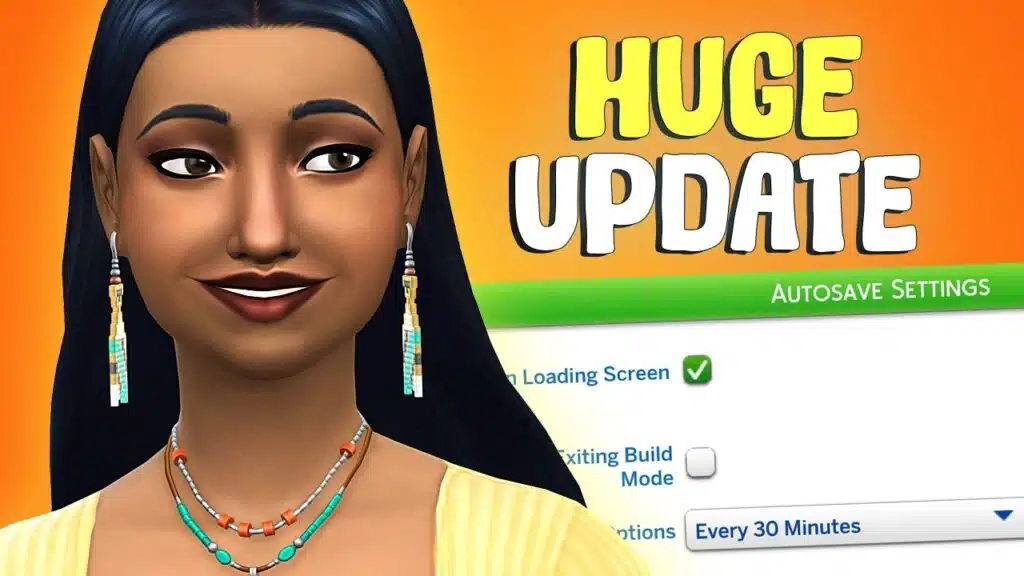
EA released the scheduled July 21st update 1.126.58, featuring all the features listed in the previous laundry list, plus some additional features. This update focuses more on adding more features to the game that should have been part of the game before but are being introduced after 12 years. Check out the official patch notes, new improvements, bug fixes, and announcement for modders.
Key Notes
Installing the New Update
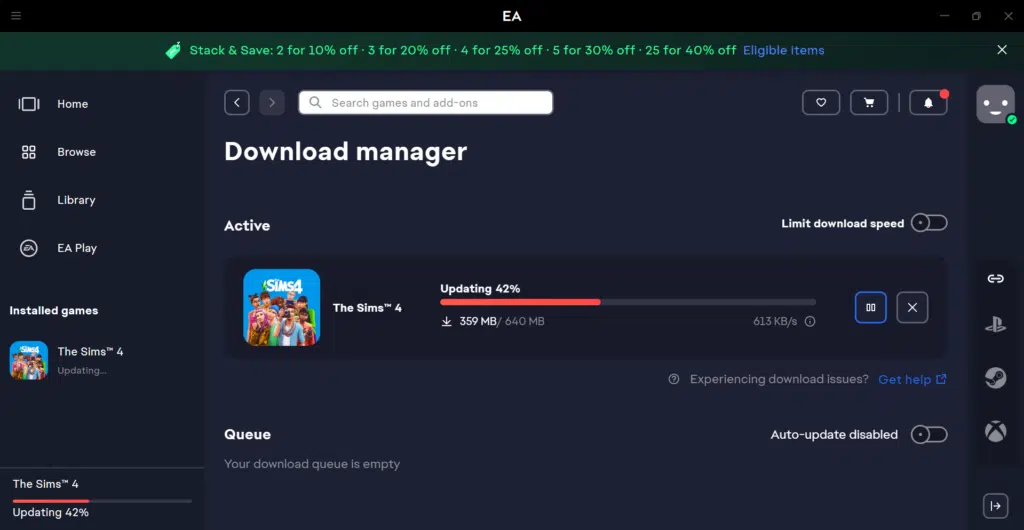
You can download this update from the following platforms. The update size is just 640MB on PC and 528MB on MAC, so it will take just a few minutes if you have a good internet connection.
- PC: EA App, Origin, Steam, Epic Games
- Mac: Origin, Steam
- Xbox: Xbox One and Xbox Series X / S
- Playstation: PS4 and PS5
Just open the store where you usually run the game, press the update button, and wait for the update to download and install. Then run the game and try out new, exciting features listed below. However, if you have auto-install updates enabled and the store is running in the background, the update will be automatically installed. You do not have to manually click on the update button; just open the EA App, Origin, Steam, or Epic Games on pc to see the download progress and install the update.
If your update got stuck or crashed, please clear the cache or delete the system-generated temporary files by pressing Win+R and typing %temp%, then delete everything inside.
Sims 4 Official Patch Notes (July 21, 2026)
Update 7/21/2026
PC: 1.126.58.1030 / Mac: 1.126.58.1230
Console: 2.36
Sul sul, treasured Simmers with precious digital lives.
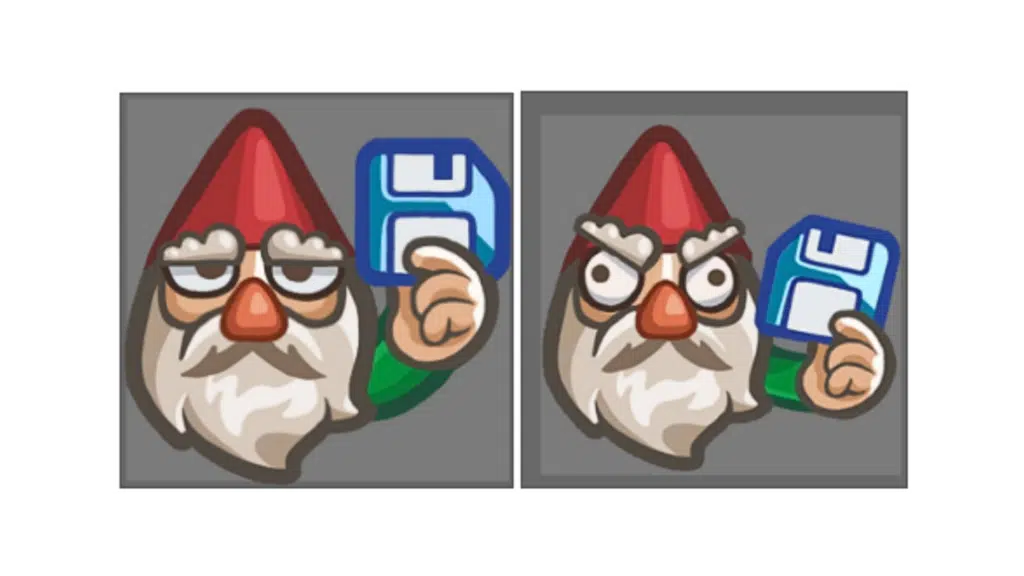
Save Gnome here. Yes. That Save Gnome. The one entrusted with the sacred duty to protect your progress. AT ALL COSTS.
The Sims 4 now has Autosave across all platforms!
It works quietly and vigilantly. You may notice a gentle little “Autosaving” message while you play.
That’s me.
Dutifully guarding.
Preventing tragedy.
But wait! I have more!
There are also… SAVE REMINDERS. Completely configurable, just like the new Autosave options. Turn them on, and I shall appear at intervals of your choosing to (gently, firmly) lovingly insist that you save your game. All it takes is one click. Sweet, beautiful security.
While I was polishing your save files, we also made some memory improvements for smoother gameplay and addressed a few community-requested fixes.
Now for another bit of good news! We’ve added free, culturally inspired accessories influenced by Caribbean, Indigenous, Latin American, and South Asian cultures. You’ll find eight new Starter Sims in Create a Sim and the Gallery wearing them. They are ready for you to shape their stories.
Coach is back! We know you loved the first drop, so we partnered with Coach again to bring 4 brand new items in the Coach Repurposed Capsule, bringing even more timeless style to your Sims. Head to the Marketplace to download it for free July 28 through October 28, 2026!
Then, for the musically-inclined Sims who enjoy listening to their favorite songs, or getting in “tune” with their creative spirit (pun intended) – it’s time to turn on the stereo, strike some keys, and strum a guitar to your favorite melody with The Sims 4 Music Den Kit. This retro-futurist-inspired space is sure to be the ultimate sonic sanctuary.
Now then. Open your game. Build boldly. Style freely. Live dramatically.
And always remember:
Save often.
-The Save Gnome
What’s New?
Autosave and Save Reminders
From big life moments to everyday chaos, every Sim story deserves to be saved. Today, we’re introducing Autosave and Save Reminders to help protect your progress while you play.
Whether you’re spending hours in Build Mode or guiding your Sims through their next adventure, these new features make it easier to keep your stories safe so you can focus on what comes next.
Autosave works quietly in the background, automatically creating save points at key moments while you play. You can customize when Autosave happens in Save Settings, with options like saving after traveling between lots, after a period of playtime, or at important gameplay milestones. If you’d rather stay in control, Save Reminders like the friendly (or slightly grumpy) gnome notification below can prompt you to create a manual save at the frequency you choose. Together, these features help reduce the risk of lost progress while giving you the flexibility to save the way you want.
Memory Boost is Coming to all Platforms
Whether you’re playing with a bustling household, building your dream home, or returning to a save that’s been with you for years, smoother gameplay means more time enjoying your stories. That’s why we’re introducing Memory Boost in today’s update across all platforms.
Memory Boost improves how The Sims 4 manages memory while you play, helping deliver a smoother experience with reduced lag, improved frame rates and responsiveness, shorter loading times, and a lower risk of memory-related crashes.
Players may notice the biggest improvements during longer play sessions, in large households, on highly decorated lots, and in older save files. While Memory Boost isn’t a dedicated save repair feature, it can also improve save stability and help reduce some memory-related save issues.
Want to learn more? Read our deep dive on Memory Boost.
8 New CAS Starter Sims & Accompanying Accessories
In our continued efforts to increase diversity and representation within The Sims, we’ve expanded the pool of Sims that appear when you first enter Create a Sim, because every story starts with a Sim.
Inspired by Caribbean, Indigenous, Latin American, and South Asian cultures, we’ve added eight Sims and eight culturally inspired accessories to bring more variety to the stories you create from the very beginning. The eight new accessories (one for each new Sim) feature details such as turquoise jewelry, bangles, cowrie shell bracelets, and woven bracelets.
These additions bring heartfelt touches to these new Sims, while adding more exciting accessory options for you to express your Sims’ unique style and personality.
For those eager to welcome these new faces into their world, you can also download them directly from the Maxis Gallery page.

Introducing The Sims 4 Music Den Kit
For music lovers, this kit lets you set up the perfect space to listen and chill or lock in and hone your skills.
Design a retro-futuristic sonic sanctuary with soundproofing panels, bold furniture, wall records, and display instruments. Then, check out the sleek new keyboard, violins, and guitar to help your Sims refine their craft.
Whether kicking back by the stereo or starting on the path to becoming a Musician, this kit strikes the perfect balance between substance and style.
Get 200 Moola included with the Music Den kit if you buy before October 22.
More Notification Improvements
Last Patch, we added a new Festival Notifications Toggle in the Options Menu. In this update, we’re adding “Nordhaven Hobby Meetups” as an additional option that is available to toggle off.
We’ve also removed the “Sugary Cravings” and other Businesses & Hobbies Expansion Pack-related notification pop-ups to help further reduce TNS spam.

Marketplace Quick Buy Now Available on PlayStation!
The Quick Buy feature detailed in our June 30th update is now available for Simmers on PlayStation consoles.
New Swatches for the Stove, YumCooker (Used)!
For players who own the City Living Expansion pack, we’ve added a few new swatches per your feedback. In the past, we added new swatches to the Basegame YumCooker stove, but we didn’t update the grungy City Living Expansion version. We’ve now added the same swatches (but grungy) to the City Living YumCooker (Used) stove. Enjoy!

Fixes for Most Voted Issues:
- [EA Forums] We’ve done extensive testing around ‘Corrupted Lots appearing in saves with a lot of Residential Rentals.’ This has been the top “Save Corruption” issue reported that we’ve been tracking. Using Memory Boost (which is now available for all players with this patch) we are no longer able to reproduce this issue on any of the saves we’ve collected. As we’ve addressed all other reports in this EA Forums thread, we’ll be closing the thread, but are watching for more feedback since reports like this are very hardware dependent and might vary depending on user setup.
There are some remaining visual issues we’ve noticed with the UI when a player had mods installed in a previous save but then removed them.
- [EA Forums] We’ve resolved an issue where parts of a roof, or entire roof sections, could disappear when viewing upper floors in Build Mode. Roof pieces should now remain visible and render correctly regardless of the selected floor level.
- [EA Forums] We addressed a crash that could occur after playing for a few Sim hours relating to caching.
- We fixed a game crash that could occur after interacting with a Sim that was a member of the active Household.
Technical Notes for Modders:
The below notes are just for mod creators so they can update their broken mods to make them compatible with this patch.
| Patch Note | Note for Modders |
|---|---|
| We’ve removed the “Sugary Cravings” and other Small Business-related TNS pop-ups from Business and Hobbies to help further reduce TNS spam. | Removed the loot from Motive_Hunger |
| Last patch we added new Festival TNS Toggles in the Options menu. For this patch, we added a new one for Nordhaven Hobby Meetups. | Added the new option to festival_notification_options_tuning and the test itself onto DialogDramaNode_HobbyMeetup |
| We’ve done testing around Corrupted Lots appearing in saves with a lot of Residential Rentals. Using Memory Boost (which is now available for all players and activated) we are no longer able to reproduce this issue on any of the saves we’ve collected. | The issue is fixed by enabling memory boost mode. With memory boost we can decode larger data blocks than before. |
| Enabled memory boost mode for all platforms, including PC, Mac, Xbox and PlayStation. | Memory boost is forced to be enabled for all platforms, including PC, Mac, Xbox and PlayStation. With memory boost we can decode larger data blocks than before. Also removed memory boost related UI toggle from the option menu. |
| We fixed a game crash that could occur after interacting with a Sim that was a member of the active Household. | This fix updates internal Sim cache and Sim state handling to better validate incomplete or invalid cached Sim build data during gameplay interactions and extended play sessions. It improves cleanup and failure handling around cached Sim appearance-related state so bad cache states are handled safely instead of asserting and crashing. Mods that manipulate Sim appearance, outfit/state rebuilds, or other flows that force cached Sim data to refresh should review this area. No tuning, catalog, UI, or Python assets were changed, and QA marked the fix as retroactive. |
| We addressed a crash that could occur after playing for a few Sim hours relating to caching. | This fix improves internal handling of cached Sim build/state data in cases where gameplay progresses for several in-game hours and a save reaches an invalid or incomplete Sim cache state. The update adds safer validation, cleanup, and failure handling around cached Sim appearance/build data so those bad states are less likely to escalate into asserts or crashes during normal play. Mods that interact with Sim appearance data, outfit/build refreshes, attachment updates, or other lifecycle-sensitive Sim cache flows should review this area. No tuning, catalog, UI, or Python assets were changed. |
| In the past, we added new swatches to the YumCooker Basegame stove. We’ve now added the same swatches to the City Living YumCooker (Used) grungy variant stove. | Added new variants to the YumCooker (Used) model. |
The Sims 4 Generating thumbnail cache
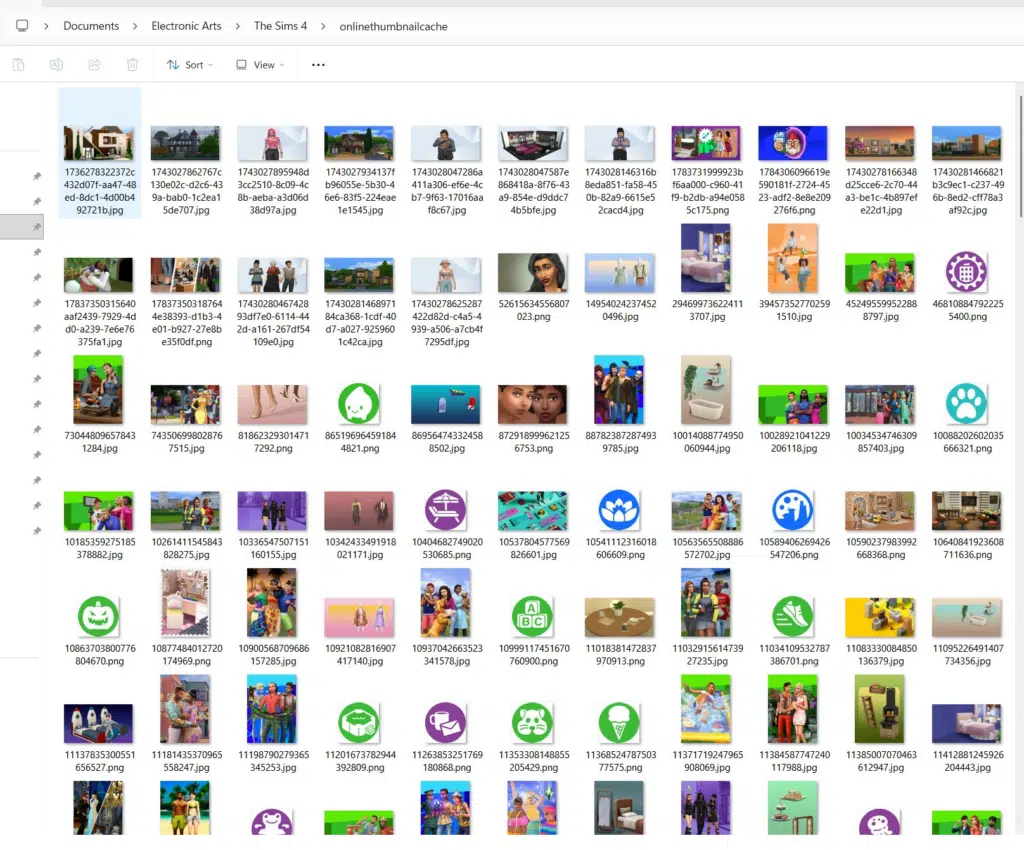
After the update, you might have noticed that in the onlinethumbcache folder, hundreds of images are generating despite being already present in the base game with high resolution. This is not a bug; it is added to improve the loading time in the game.
With the Marketplace introduced to Sims 4, has anyone noticed how often the onlinethumbcache folder keeps downloading hundreds of images? Feels like bloat just how it used to be with TS3’s Store thumbnails being spammed 😭
Broken Mods
Here is the list of currently broken mods after patch 1.126.58. You can manage all the working and broken mods with the Mod Manager by GameTimeDev.
- 15 Clubs Per Sim
- Beige UI Mod
- Chalk’d UI
- Color Sliders
- General Neutral CAS Thumbnails
- More Columns in CAS
- Paperlife UI
- Pastel Blue UI Mod
- Pastel Green UI Mod
- Pastel Pink UI Mod
- Pastel Purple UI Mod
- The Sims 1 Inspired UI for The Sims 4
- The Sims 2 Inspired UI for The Sims 4
- UI Cheats Extension
If you noticed any other mod broke due to the update, tell us in the comment section so we can verify and list it here. It will help players disable that specific mod directly without wasting time on testing.