


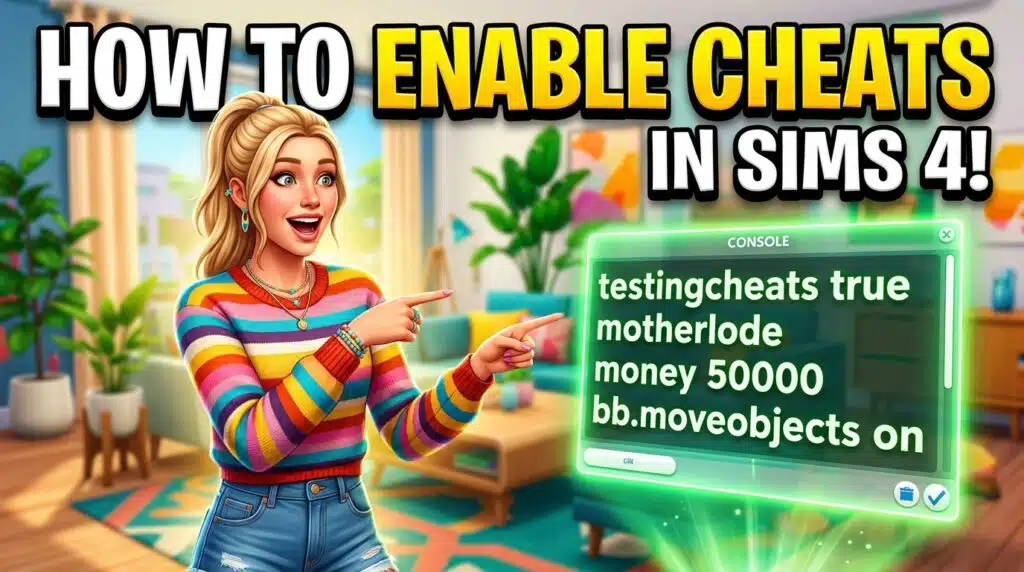
Want to use cheat codes to quickly gain exposure and to save your valuable time? You need to enable cheats through the cheat console before you start using the codes. Here you will learn how to enable cheats in The Sims 4 with an easy and practical step-by-step guide. It’s not too hard; first, you need to open the cheat console and enter “testingcheats true,” then you can use any cheat code. But you have to do this again after restarting the game. Consoles and desktops have different ways to enable the cheats; here is how to do it:
Note: Basic money cheats like
motherlode,kaching, androsebudwork immediately withouttestingcheats— only exact-amount, skill, and relationship cheats need it enabled first.Sponsored
How do you enable testing cheats on Sims 4?
Here is how you can easily enable the cheats in your game. I have tested it with the latest game patch 1.126.58 on PC; it’s working fine.
PC and MAC
Both PC and MAC use the keyboard, so the method is the same for both.
- Open and start a new game or load an existing one.
- Press Ctrl+Shift+C simultaneously, and a white input bar will appear on the top left of the game screen.
- Click on the input field of this cheat console and enter
testingcheats onor “testingcheats true” and hit Enter. - Below you will see a confirmation message, “Cheats are Enabled,” in blue text (see the image below).

Consoles (PS4, PS5, Xbox One, Xbox Series X|S)
1. Start The Sims 4 on your console.
2. Press all these triggers simultaneously: L1+L2+R1+R2 (for PlayStation) and LB+LT+RB+RT (for Xbox).

3. Now, on the cheat console, type “testingcheats on” and press Enter.
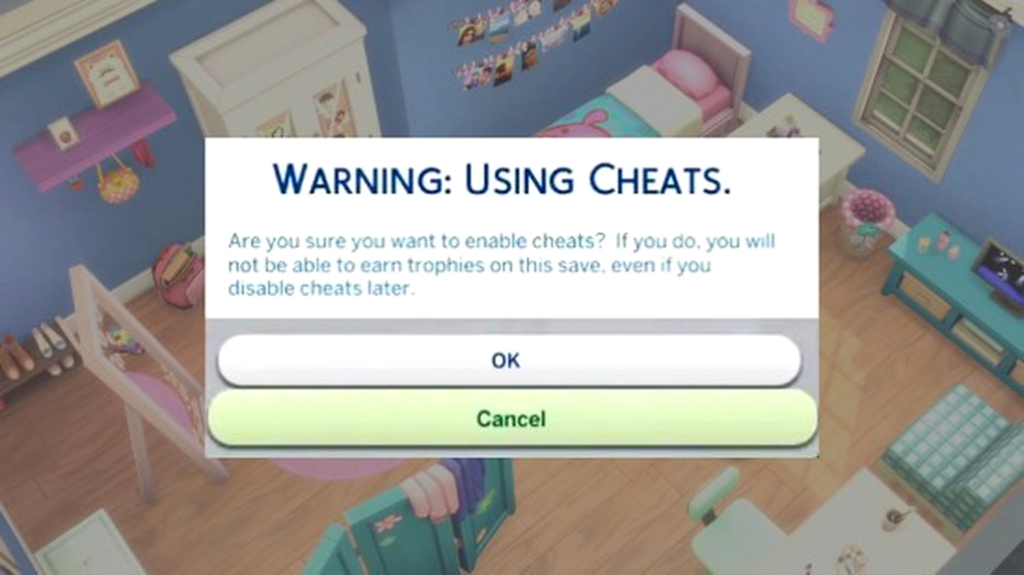
4. A pop-up warning will appear asking you if achievements and trophies will be disabled if you enable cheats. Press ok.
5. Once you see this message “Cheats are Enabled”, you can start using the cheat codes.
Note: By using testingcheats the command, you permanently disable the achievements and trophies for that specific save file. A pop-up warning will appear asking you to confirm this choice before the game allows the cheat to run.
How to disable Cheats?
To disable the cheats, type testingcheats off and hit Enter. The confirmation message will appear saying, Cheats have been disabled. Now press Ctrl+Shift+C to exit the cheats console (white input bar), and you are done.
Common issues and fixes
Cheats Console not opening: This issue is common among players on PC/Mac; it is because sometimes you have to press the Fn or Windows key along with other keys. So, try pressing these keys: Ctrl+Fn+Shift+C or Ctrl+Fn+Win+Shift+C. Most of the time, it fixes the issue; if not, restart the game or clear the cache.
Cheats not working: If you type any cheats, please make sure the spelling is correct and there is no extra space, because when you copy the cheats, sometimes it also copies the additional space at the end.
Some outdated mods can break the game, resulting in cheats not working. Please make sure you are using the latest version of the mod that is compatible with the game. If you use multiple mods, use the Mod Manager App for Sims 4 to easily manage them.
If you have any other issues or you are still struggling to activate cheats or codes, tell me in the comment section; I will assist you for free either on chat or video call.
Most used Sims 4 Cheats
Here are some cheats mostly used in The Sims 4 by regular players.
1. Skill Cheat
| What You Want | Cheat Code | Example |
|---|---|---|
| Max a specific skill | stats.set_skill_level [Skill] 10 | stats.set_skill_level Major_Charisma 10 |
| Set a custom skill level | stats.set_skill_level [Skill] [1-10] | stats.set_skill_level Major_GourmetCooking 5 |
| Level range | 1 to 10 | Higher numbers mean greater skill mastery. |
Not everyone wants to spend several in-game days maxing out Cooking or Logic just to unlock a single career promotion. Skill cheats help players jump straight to the part they actually enjoy, whether that’s building, storytelling, or experimenting with different careers.
2. Money Cheat
| Cheat | What It Does | Result |
|---|---|---|
motherlode | Adds money instantly | +§50,000 |
money [amount] | Sets your household funds to an exact value | money 1000000 → §1,000,000 |
Many players use money cheats after starting a new save because they already know the early-game grind. Instead of worrying about bills and low-paying jobs, they can immediately design custom houses, recreate real homes, or test expensive objects.
3. Relationship Cheat
| Purpose | Cheat Example |
|---|---|
| Max Friendship | modifyrelationship Akira Kibo Miko Ojo 100 LTR_Friendship_Main |
| Max Romance | modifyrelationship Penny Pizzazz Salim Benali 100 LTR_Romance_Main |
| Relationship | Example Cheat |
|---|---|
| Friendship | modifyrelationship Liberty Lee Travis Scott 100 LTR_Friendship_Main |
| Romance | modifyrelationship Summer Holiday Don Lothario 100 LTR_Romance_Main |
Building friendships and romances through repeated conversations can become repetitive, especially in large households. Relationship cheats let players quickly set the connections they need, making it easier to create family dramas, rivalries, or romantic storylines without the waiting.
Are Cheats Legal, and Why Were They Added to the Game?
Yes, using cheats in The Sims 4 is completely legal and officially allowed by the developers. Since you are not playing with other players online, you have just your own space, world, and story, so if you use the cheats to gain money or increase a certain level or skill, it’s completely fine. However, keep in mind that on Consoles, enabling cheats will disable achievements and trophies.
The cheats are added by the developers during the development of the game. The purpose is to quickly test the game, find bugs and issues, and fix them without wasting hours by playing the game manually. Later, these codes went public, and the community loved them.
Best Cheat Mods that you should explore
If you love using the cheats, you would definitely be happy using Weerbesu’s UI Cheats Extension, Deaderpool’s MC Command Center, and Basemental Drugs mod. They are top-rated mods in The Sims community, and their developers are active. Here is what they do:
- UI Cheats: Instead of typing cheat codes every time, you can simply click the cheat directly on the screen to activate it.
- MC Command Center: This powerful mod gives you complete control over your game. You can edit Sims, manage pregnancies, change careers, adjust relationships, control population settings, and automate many gameplay features without relying on multiple cheat codes.
- Basemental Drugs: This adult-oriented mod adds realistic storylines with custom substances, addiction, rehabilitation, mood changes, and new social interactions. It is designed for players who want more mature and complex gameplay, while also showing the negative consequences of substance abuse rather than glorifying it.
Frequently Asked Questions
To enable testing cheats in The Sims 4, open the cheat console, type testingcheats true, and press Enter.
No, you do not have to enable the cheats every time unless you restart the game.
The developers disable them by default to protect game balance, prevent accidental save corruption, and disable achievements on consoles.
After enabling the cheats, the white UI appears on the screen that can only be disabled by pressing the same buttons again. For Example, for PC and Mac, press Ctrl+Shift+C again.