
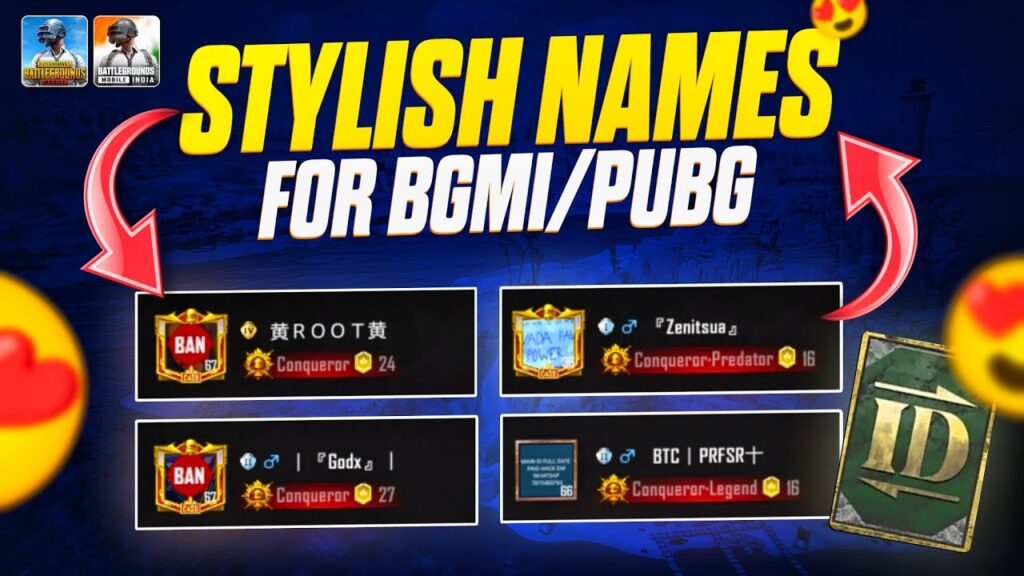

In BGMI, nicknames are the best way to quickly get noticed when you join a random squad or kill enemies. Players remember the name to take revenge, but with a stylish name, it becomes easier, and also your game ID looks unique and premium. You cannot manually type the stylish characters from the keyboard; you can either generate them with an online tool or copy them from the web. With the tool below, you can quickly generate a BGMI name style for free, or copy the pregenerated nicknames and use them in your game.
Why is this tool the Best?
BGMI allows only 14-character names; we restrict this tool to generate only 14 characters so you can set your name without error. In addition to this, we added the hidden characters because the keyboard’s space will not work. Just click on the “Add Invisible Space,” and it will insert the hidden space in your name.
This tool generates stylish names for both boys and girls without any limit or disturbing pop-ups. You enter your name, and up to 288 unique style names will be generated that you have never seen before. Press the copy icon and use it in your Profile, Clan, Tournament, Team, IGL, or WOW creator name.
If you are looking for an attitude name or an idea about the most commonly used names, just keep the input field blank and scroll down, and it will show 49 unique names with styles such as 〆ᴋʀᴀꜰᴛᴏɴ〆, ٭𝒮𝒾𝓁ℯ𝓃𝓉ᅟ𝓀𝒾𝓁𝓁ℯ٭, ★彡ᴋɪɴɢ彡★, ꧁ROLEX꧂, and ✦ʀɪꜱᴇᅟᴜᴘ⠀ᴋɪɴɢ✦, etc.
50+ BGMI Name Ideas
In 2022, my friend Sufyan Umar chose a PUBG name that no one ever thought of. It was 20 FPS BOT because he plays the game at 20 FPS, and later bought a new 60 FPS-supported device. Our squad decided to use the same format, so we rename into 90 FPS BOT, 40 FPS BOT, and I renamed it to 30 FPS COBRA because I want to look a bit different. We started playing the game together and got many back-to-back Chicken Dinners.
After a few months, we started noticing that people started copying us, as the exact names were not available, so they used 60 FPS KING, 120 FPS RAJA, and more like this. We were all very happy that the word FPS in the game has become a brand, and our Aura increased.
If you do not have upgradeable guns, your name will fill this space. Here is the list of the best Brand names that we handcrafted for you so they do not feel repetitive.
- 120 FPS KING
- 60 FPS COBRA
- I AM NOOB
- P U S H P A
- N I K E
- M E S S I
- ⚔CAMPER⚔
- ⚡VICTOR⚡
- ★CARLO★
- NEXT YOU
- LEAVE ME ALONE
- ☠TOMMY☠
- I AM COMING
- 『BLACKㅤCOBRA』亗
- ALONE KILLER
- 乂NINJA乂
- 王winner王
- 乂ⒿⓄⓀⒺⓇ乂
- KING AWM
- I AM RAJA
- YOU DONE
- TOP¹ | KING
- TOP¹ | RAJA
- TOP¹ | BOT
- TOP¹ | NOOB
- ZEROᅟHP 亗
- R U S H
- GO TO LOBBY
- G T A
- J O N E S
- R O L E X
- B W M
- ℬℰ𝒜𝒮𝒯
- ╰┈☆ᴅᴇᴀᴅ☆┈╯
- 『𝒮ℋ𝒜𝒟𝒪𝒲』亗
- ཌʟᅠᴇㅤɢ⠀ᴇᅠɴᅠᴅད
- 亗 BGMIᅠKING
- 『LASTᅠMATCH』亗
- ★𝒦𝒩𝒪𝒞𝒦⠀ℋ𝒜★
- ★彡LUCIFER彡★
- MᅟAᅠF⠀IᅠA
- ♛VENOM♛
- ٭L⠀E⠀O٭
- ★彡BROKEN彡★
- D O N
- C A P T A I N
- D A D D Y
- 乂GHOSTxOP乂
- T I G E R
- K A L U
- N A R U T O
- S P I D E R
How to Add an Invisible Space in Your BGMI Name
BGMI allows the use of special Unicode characters to create a blank space in your nickname to make it look unique and more stylish. Here are some characters that we tested, and you can use them.
- Ī
- ė
- [ ]
- [ ㅤ ]
Note: These characters are visible in your input field, but when you use them in BGMI, they will be hidden. So, to completely hide your name, use all these invisible characters.
How to Change Your Name in BGMI
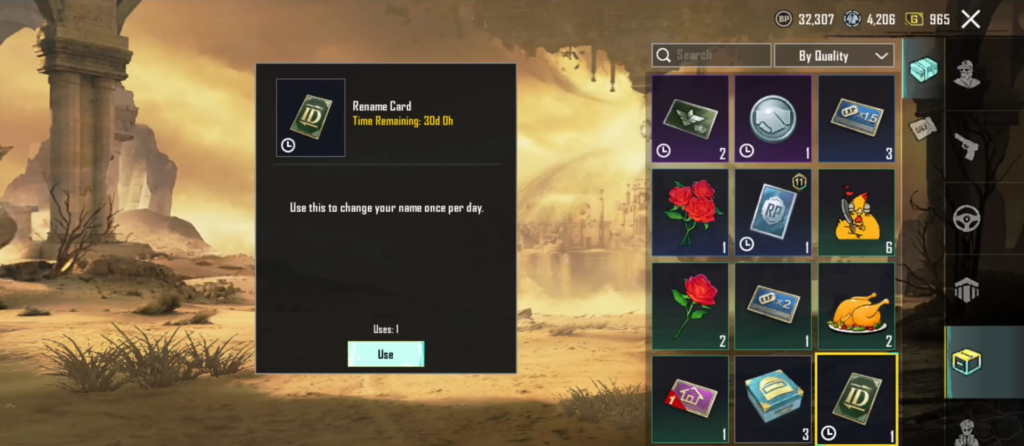
In order to change your name, you must have a Rename Card in your inventory. If you have, follow these simple steps:
- Open your game and go to the inventory from the bottom right.
- Find the Rename Card and press the ‘use’ button.
- Now click on the input field, enter your name, and hit OK.
- A pop-up will appear; click on the confirm button. All Done.
Common Issues and Fixes
Here are the most common issues that players face while changing their names. Follow the solution below to fix them in under 1 minute:
- The name is Already Taken: This is the issue that most gamers face. It means this name is already in use by another user. You can change the hidden character or choose a different name.
- Name Cannot Exceed 14 Characters: Your characters and spaces must not be more than 14. Please keep them under that limit.
- Name Contains Invalid Characters or Words: This error means your name contains characters that are not supported by the game. Although this issue is very rare, if it persists, replace the characters with supported ones as given above.
Also Read:
Bottom Line
In Battlegrounds Mobile India, the name alone won’t help you get noticed in the kill fields; you have to kill more enemies, that required an perfect aim that is possible with perfect sensitivity. When you decide to choose a name, make sure it is in capital letters and has spaces because on the screen, the names are already shown very small, so when you use small letters, it becomes difficult to read.
If you have any suggestions or questions, feel free to ask me through the comment section.
Frequently Asked Questions
Yes. BGMI supports certain Unicode characters that appear as invisible spaces inside the game. These can help you create unique nicknames or separate words in your name.
The regular keyboard space is not supported in BGMI, so you must use Unicode characters that will work as a space.
No. Emojis are not supported in BGMI.
Yes, it is safe to use, but you should not use offensive language; otherwise, your account will be banned.