Close Menu
    Facebook X (Twitter) YouTube WhatsApp
    Thursday, 23rd April 2026
    Facebook Telegram X (Twitter) Pinterest
    GamutersGamuters
    • Telecom
    • Download
    • Gaming
      • PUBG Mobile
      • The Sims
    • Contact
    Subscribe
    GamutersGamuters
    Home»Gaming»Pubg»How to Copy and Share Sensitivity Code in BGMI and PUBG Mobile
    Pubg

    How to Copy and Share Sensitivity Code in BGMI and PUBG Mobile

    Haroon RashidBy Haroon RashidPublished:April 21, 20263 Mins Read
    Share Facebook WhatsApp Twitter Reddit Pinterest Telegram Email Copy Link
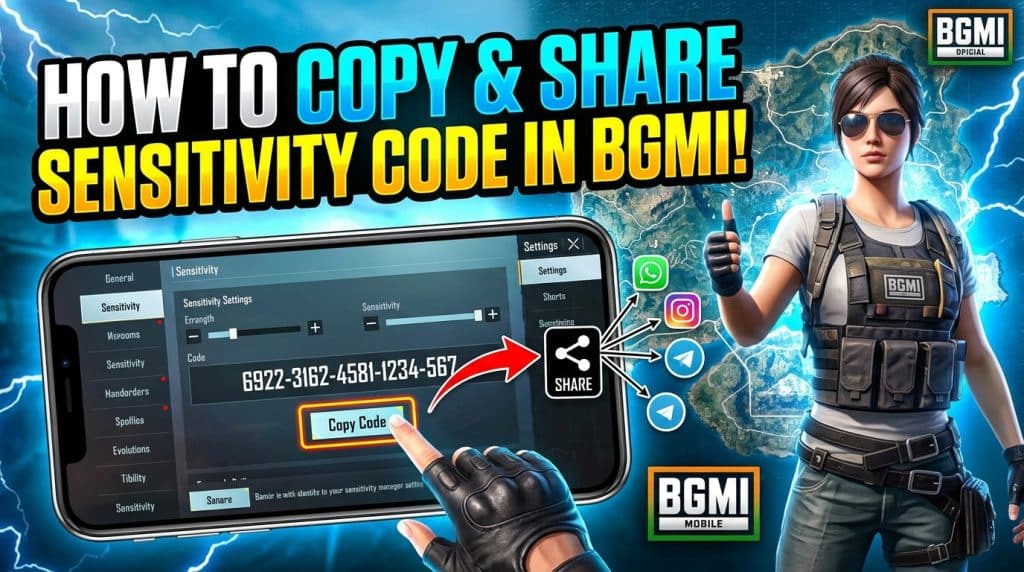
    check out How to Copy and Share Sensitivity Code in BGMI and PUBG Mobile
    Copy, Share or import your sensitivity code in PUBG Mobile / BGMI

    PUBG Mobile and BGMI are among the most-played battle royale games in the world, with over 1.75 billion combined downloads. The most important factor in gameplay is your sensitivity settings. If they are not properly tested and adjusted, your skills alone will not help. If you have a good setup, you can upload it to the cloud and generate a code. You can share this code with a friend who has a similar device and settings. However, due to recent UI improvements in the 4.3 update, players find it difficult to locate the upload and share button. In this guide, I will show you how to copy and share a sensitivity code in BGMI or PUBG Mobile.

    How to Find, Copy, and Share the Sensitivity Code with your friends?

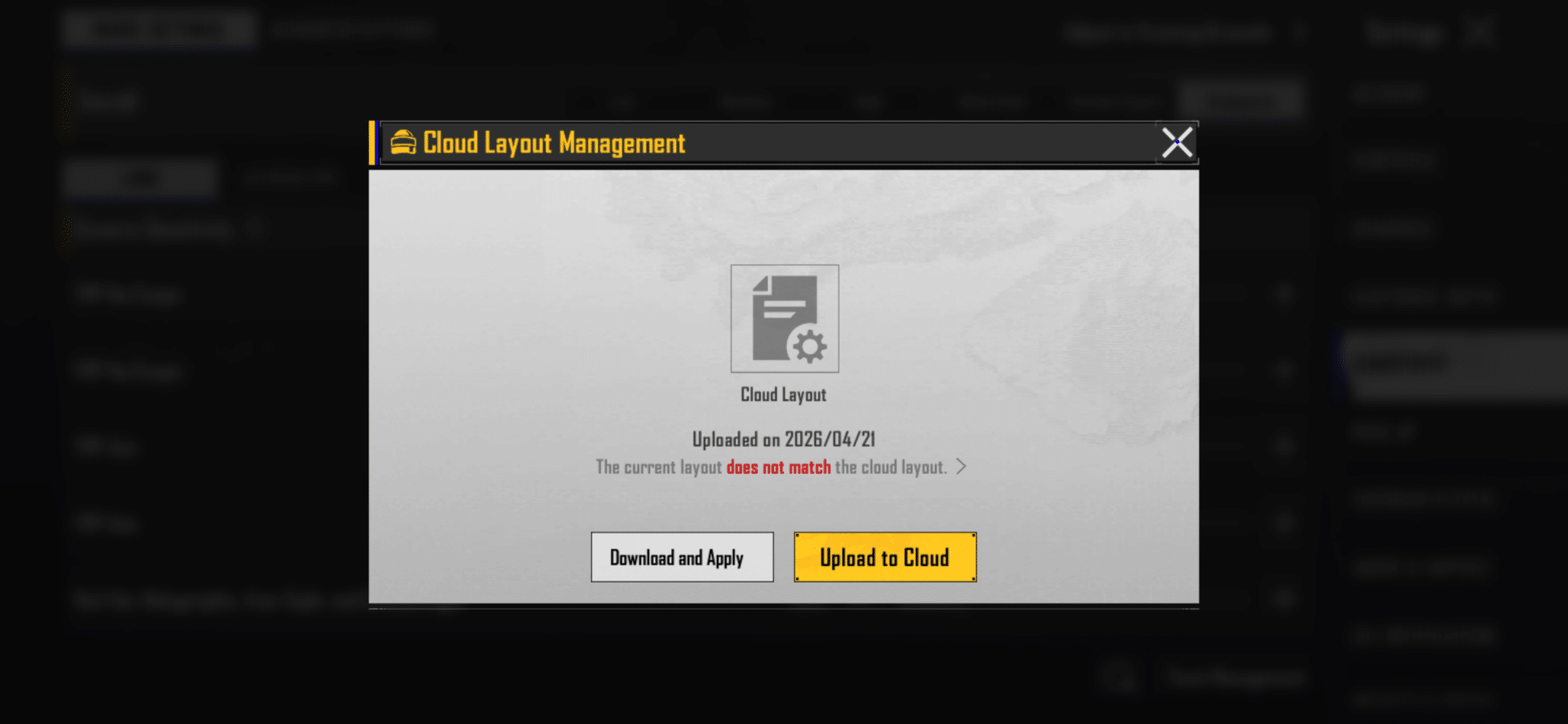
    To copy and share your code, first, you need to upload your own sensitivity settings to the cloud; otherwise, you will see a “Download and Apply” button in the settings.

    1. Upload your Sensitivity

      Go to Settings>Sensitivity>Cloud Management, and now click on the yellow “Upload to Cloud” button and press Ok to confirm.Upload on cloud button is showing in cloud management section

    2. Copy and Share the Code

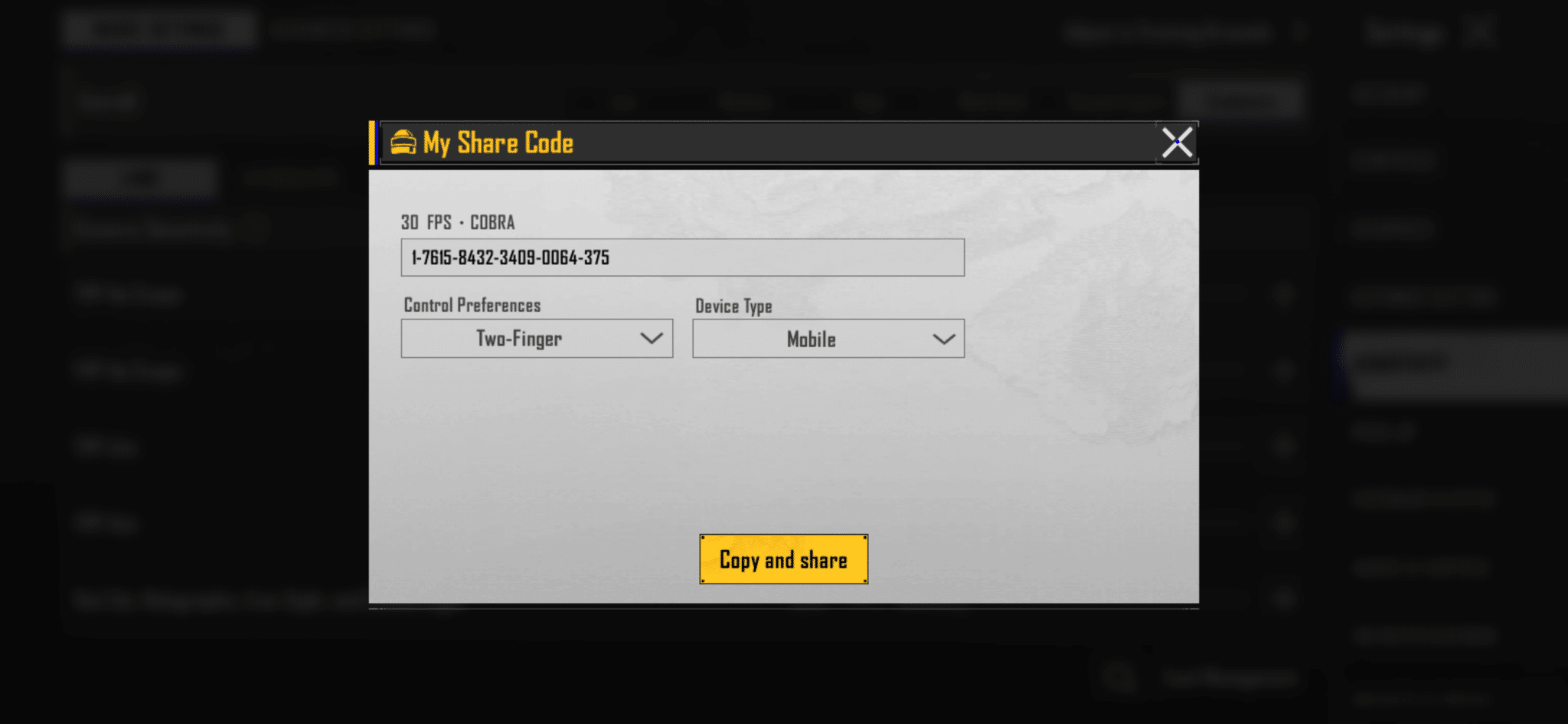
      Click on Cloud Management again, select “Share to Cloud Button”, select controls preferences, device type, and click on ‘Copy and Share’. Now the 20-digit code is copied to your clipboard, and you can send it to your friend or save it in Memo.Sensitivity code is showing with other options like select your device etc

    3. Verification

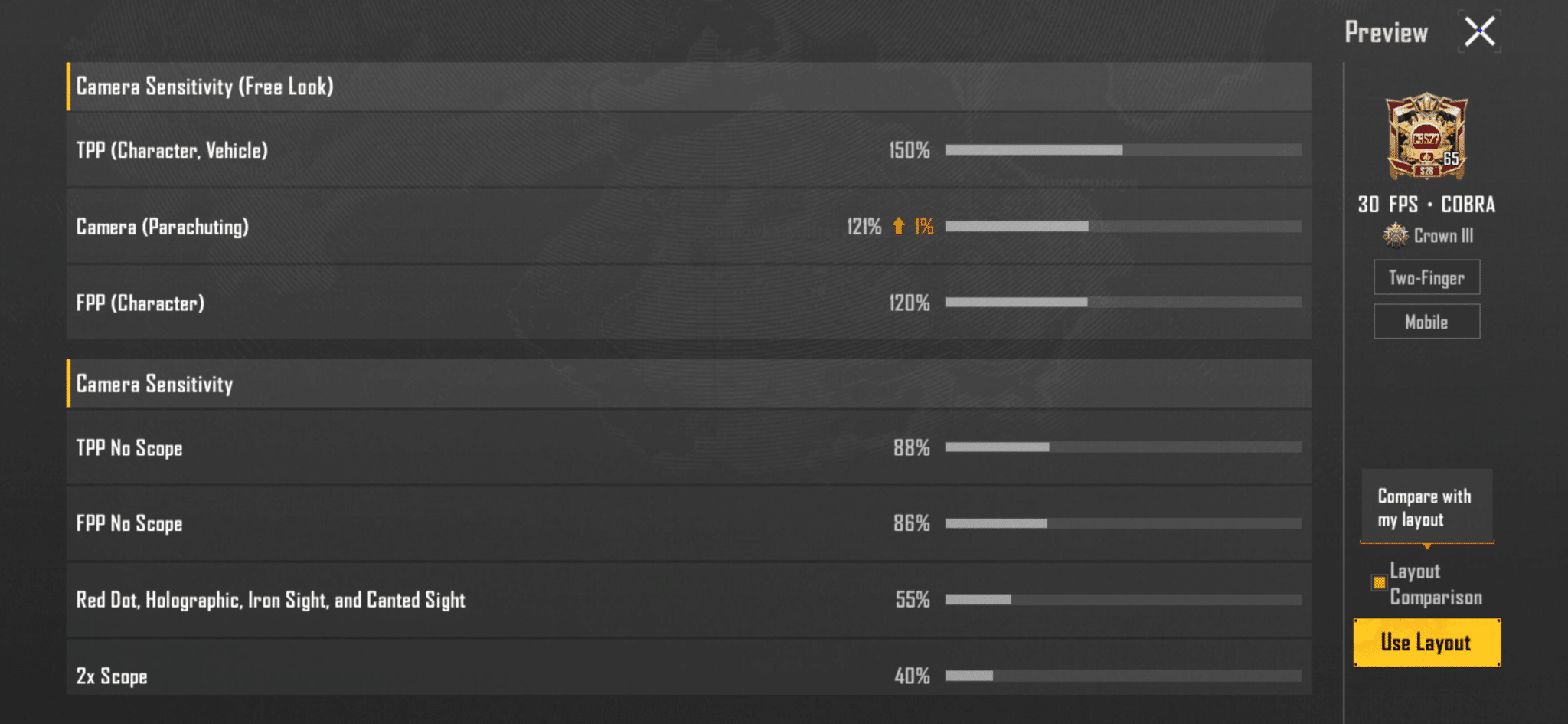
      You can verify whether it’s working or not by clicking on the search icon on the left side of the Cloud Management button. Then paste your code in the input field and click on preview. If it’s valid, the preview will compare it to your current settings, and once you’re satisfied, click on use layout to replace it with your current settings. Image showing the preview imported from the sensitivity code
    “If you are using custom sensitivity for each gun, you need to go to the Advanced Settings and use the same methods.”

    PUBG Ka Baap kaun Hai | Free Fire vs PUBG Mobile (Honest Answer)

    Why is my Sensitivity Code not working

    The sensitivity codes are time-limited and quickly become invalid as a user clicks on the share button. So you might see the error “This shared code is invalid or has expired. Please enter a valid share code”. In this scenario, ask the person to share a new code again. Otherwise, it is better to ask for a few screenshots of every section so they never get retired.

    If you are trying out different combinations, you must also check out my PUBG Mobile sensitivity or, for an indian player, check out new BGMI Sensitivity codes. With my perfect sensitivity, I maintain a K.D of over 5.3 in more than 200 matches.

    Conclusion

    If you want to share your sensitivity with others, please ask them to use it as a template, not a shortcut. Your recoil control and stability depend on your internet, FPS, graphics, and device. So there are very few chances of working the same settings for other users, but most of the time it did not.

    Follow on Google News Follow on WhatsApp
    Share. WhatsApp Facebook Twitter Tumblr LinkedIn Email
    Haroon Rashid
    • Facebook
    • X (Twitter)
    • Instagram
    • LinkedIn

    Haroon is a gaming-focused tech enthusiast who breaks down complex updates from games like PUBG, GTA, and The Sims 4 in a clear, easy-to-follow way. He is also the creator of the Wordrix and Wordrix Pro Android games.

    Related Posts
    A man checking BGMI 120 FPS supported devices by playing the game
    BGMI 120 FPS supported devices list (April 2026)
    Check out Pubg Ka Baap kaun Hai
    PUBG Ka Baap kaun Hai | Free Fire vs PUBG Mobile (Honest Answer)
    Check out PUBG Mobile 4.4 Beta Update Theme Mode and Features
    PUBG Mobile 4.4 Beta Update Features, Leakes and Download Links
    Add A Comment
    Leave A Reply Cancel Reply

    A man checking BGMI 120 FPS supported devices by playing the game
    BGMI 120 FPS supported devices list (April 2026)
    Published:April 22, 2026
    Check out Pubg Ka Baap kaun Hai
    PUBG Ka Baap kaun Hai | Free Fire vs PUBG Mobile (Honest Answer)
    Published:April 20, 2026
    Check out PUBG Mobile 4.4 Beta Update Theme Mode and Features
    PUBG Mobile 4.4 Beta Update Features, Leakes and Download Links
    Published:April 8, 2026
    Gamuters logo in white color
    Facebook X (Twitter) Pinterest WhatsApp Instagram YouTube
    Popular
    • Telecom
    • The Sims
    • PUBG Mobile
    • Cheat Codes
    • Puzzle Game
    • Grand Theft Auto
    Download
    • The Sims 4
    • PUBG Mobile
    • BGMI
    • Project IGI 1
    • PvZ Fusion
    • Gameloop
    • SnapTube
    Information
    • About Us
    • Contact us
    • Disclaimer
    • Privacy Policy
    • Terms of Service
    • Write for Us
    • Website Sitemap

    Subscribe to Updates

    Stay updated with the latest gaming news, tutorials, and how-to guides from Gamuters.

    © 2026 Gamuters | All Rights Reserved | Developed by Haroon Rashid.

    Type above and press Enter to search. Press Esc to cancel.