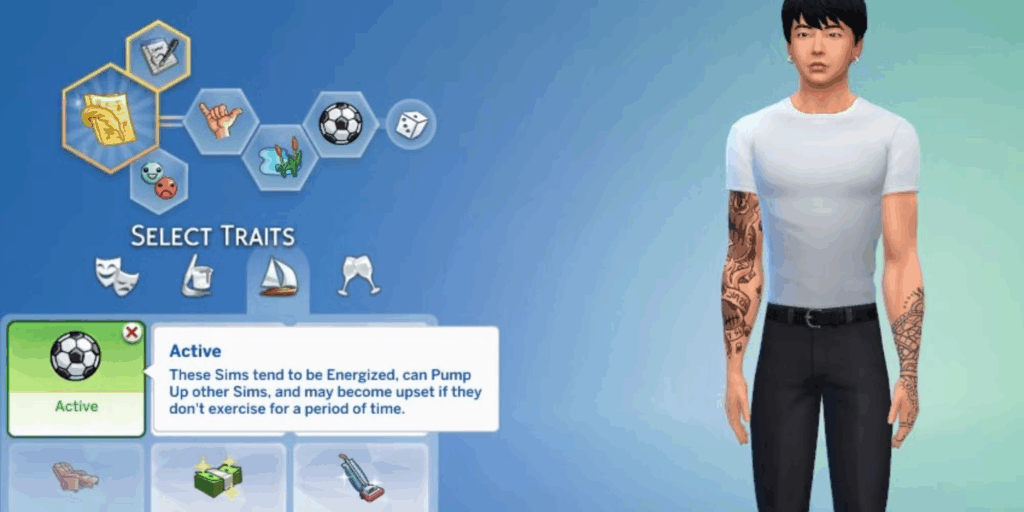
While creating a Sim, you only get up to 3 traits, right? It’s frustrating because there are so many great personality traits available, but your options are limited. That’s why I’m sharing the Sims 4 More Traits in CAS Mod v3a, which unlocks additional traits while creating a Sim. With this mod, you can customize your character with more depth and build a richer, more layered story.
What’s New in v3a (June 24, 2026)
- It’s now compatible with game versions 1.125 and 1.126.58 (tested).
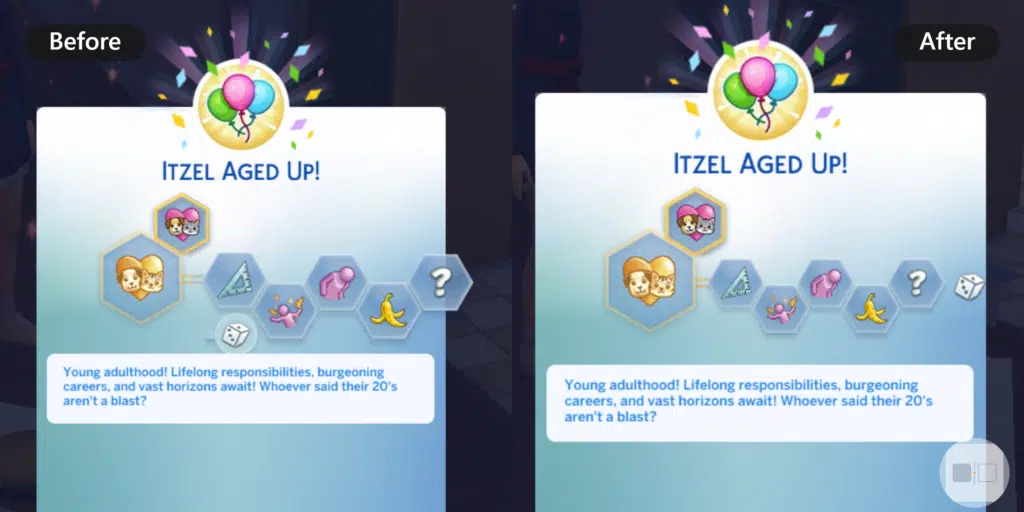
- Redesigned the traits layout to fit in the original space. Now it’s easier to add more variants.
- Lot traits are now more similar to the human traits in layout.
- Fixed an issue where the Personality Trait panel extended beyond the right edge of the window when Sims aged up or used the Personality Potion.
- Reworked the mod’s internal XML workflow with Python automation, making future updates to More Traits in CAS faster, cleaner, and easier to maintain.
Note: While this mod was updated on June 24, but its working with the July 21 Update as it’s not on the broken list.
Also Check: How to rotate items in Sims 4
Download Sims 4 More Traits Mod
Here is the download link for the more traits mod for Sims 4. The file size is 60.7 KB. To install it in your game, place these files in the Mods folder. If you’re unsure how to do this, check out the guide below.
Use the regular version if you don’t have any other trait mods. Use the Chingyu Compatible version only if you’re using the MoreTraitsMod_Options by Chingyu. However, I recommend downloading only one version to avoid conflicts.
How to Install More CAS Traits Mod
After downloading the files above, it’s time to activate them in your game. Follow the steps below carefully, or you might run into strange issues:
- Enable Mods in The Sims 4
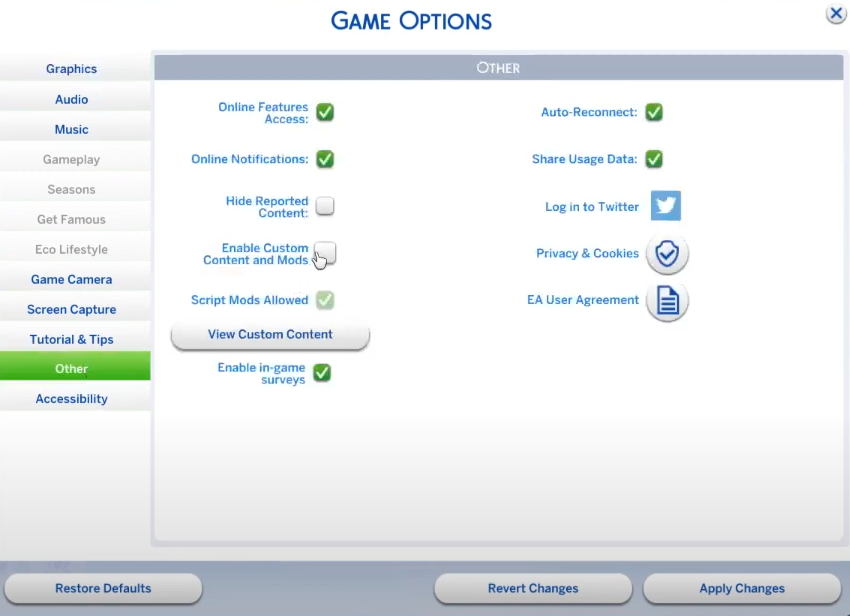
Run The Sims 4 game, navigate to Game Options > Other & check “Enable Custom Content and Mods” and “Script Mods Allowed.” Then click Apply Changes and exit.

- Move the File to the Mods Folder
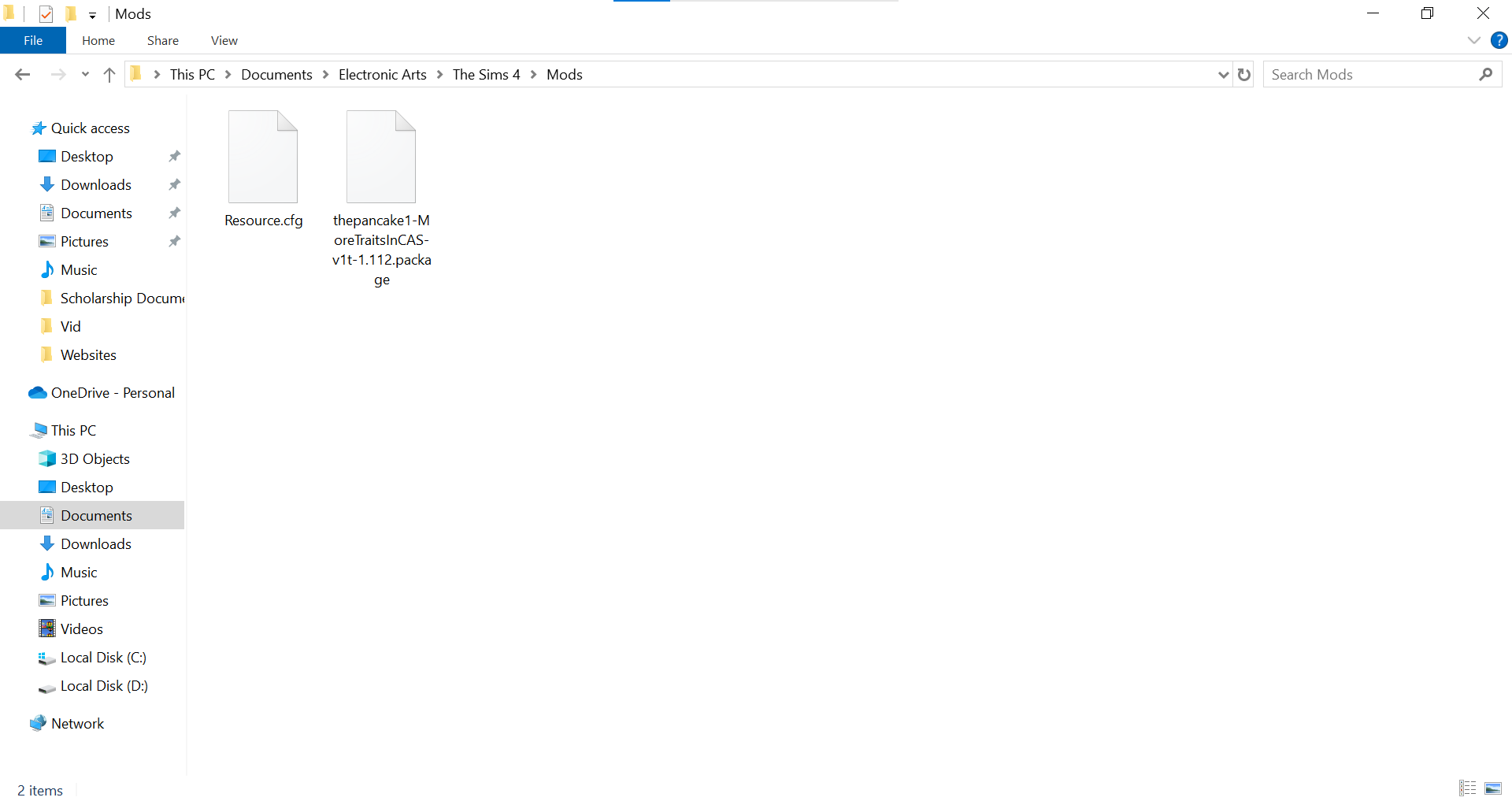
Go to
Documents > Electronic Arts > The Sims 4 > Mods& put the downloaded.packagefile into that folder.
- Delete Cache Files
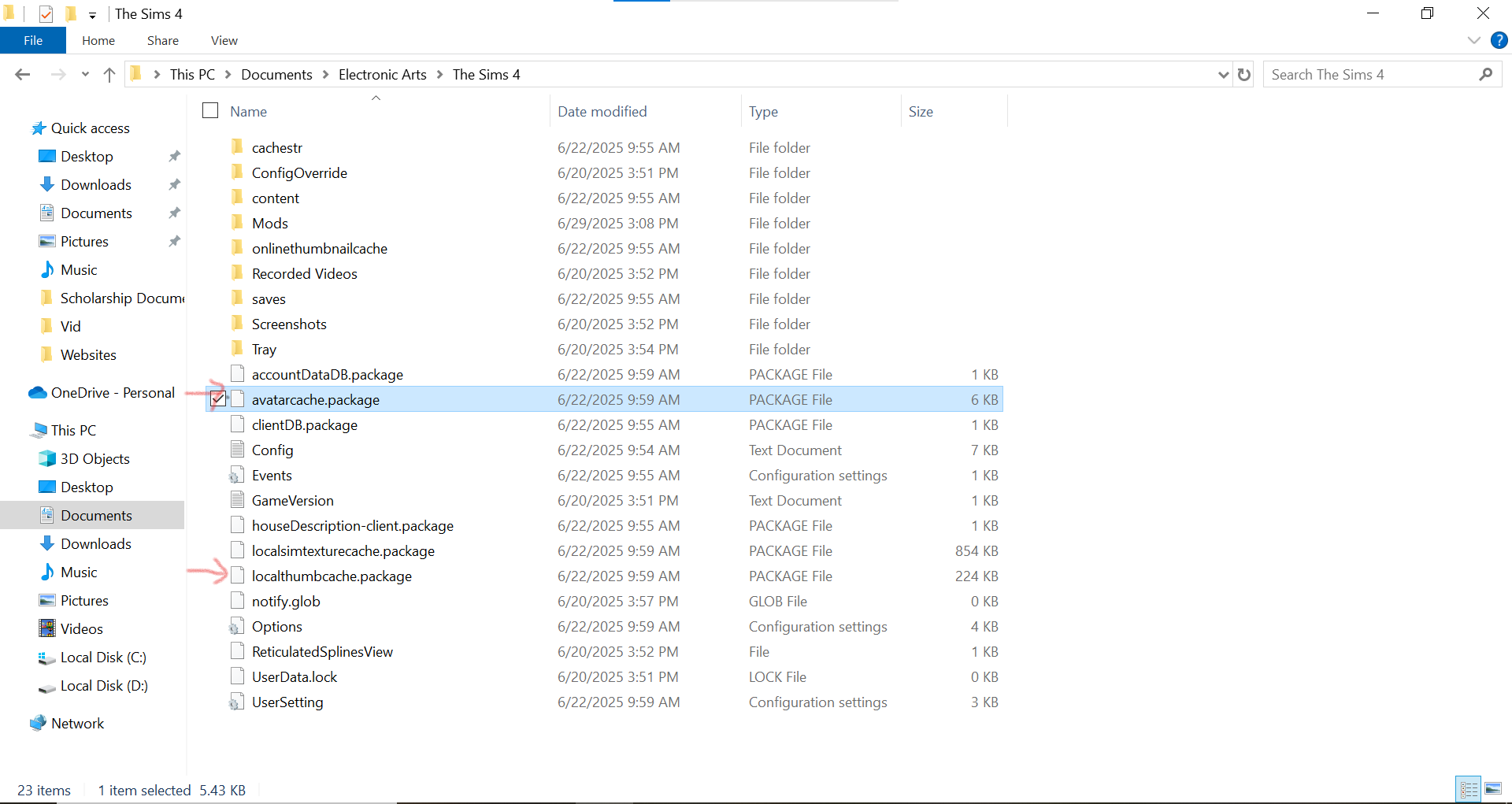
Press backspace to go back to the The Sims 4 folder and delete
localthumbcache.packageandavatarcache.packagefiles.
- Launch the Game and Check the Mod
Open your game and go into Create-a-Sim (CAS). Now you will see extra hexagons for additional trait slots depending on the Sim’s age. e.g, Young Adults can have 5 traits instead of 3.

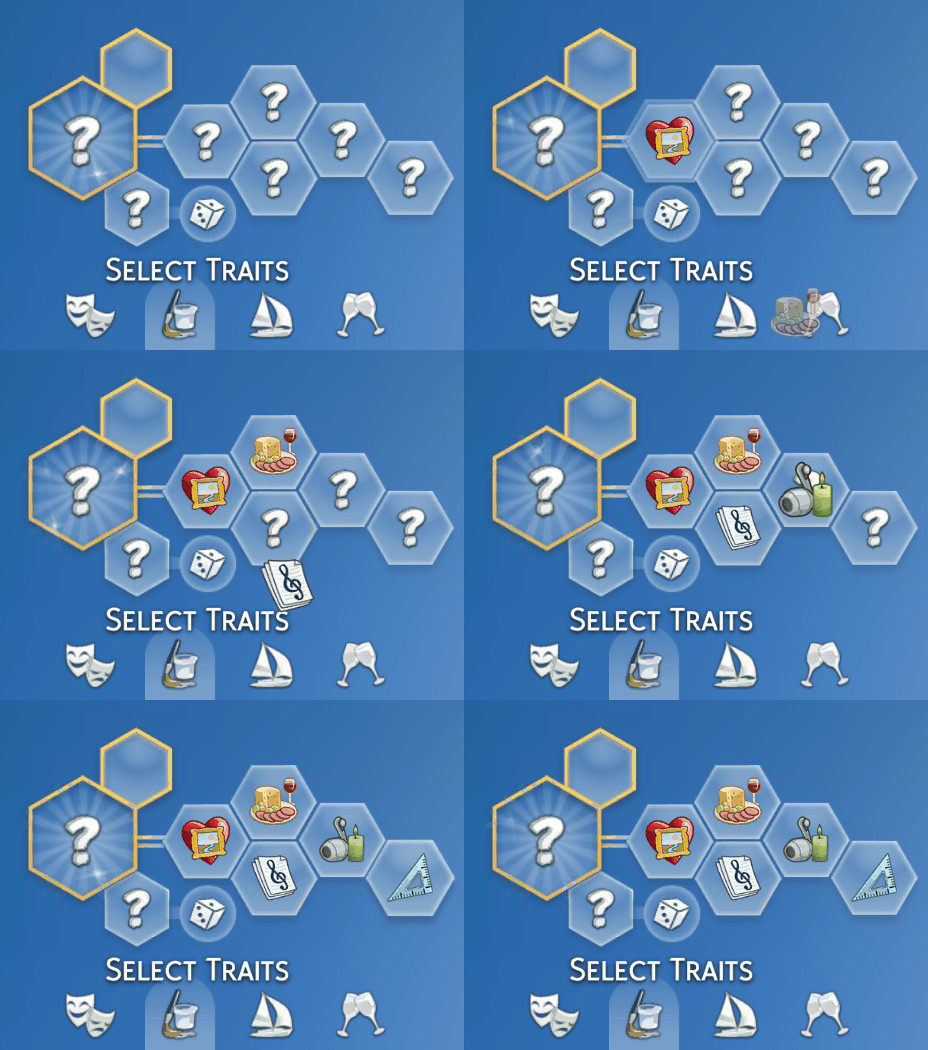
“To edit existing Sims, use the cheat:
cas.fulleditmode, or use MC Command Center Mod or AddTraitsMenu mod.”
What Does This Mod Do?
This mod simply adds extra trait slots to Sims across all life stages except Infants. Here’s what you get:
| Life Stage | Previous Trait Limit | New Trait Limit |
|---|---|---|
| Toddlers | 1 | 2 |
| Children | 1 | 3 |
| Teens | 2 | 4 |
| Young Adults and older | 3 | 5 |
Note: Infants remain at one trait.
This gives your Sims more personality right from the start. You no longer have to sacrifice “Bookworm” just to make room for “Creative” or give up “Clumsy” because “Good” felt more important.
And here’s something unexpected: lots (the places your Sims live or visit) also benefit; now it allows up to 5 lot traits. This happened due to how EA’s system connects CAS slots to lot traits, but it’s a happy accident for players who love gameplay variety.
Compatibility
- You don’t need any expansion packs to use the More Traits mod. It works with just the Sims 4 base game.
- It is compatible with the latest version 1.126.58; do not use it with old versions.
- This mod does not conflict with UI Cheats, More CAS Columns in Sims 4 (tested), or Better BuildBuy.
- The Chingyu version is only needed if you have this specific mod of theirs on this page, “More CAS Traits Mod + Long-Lived Traits + Add Traits Menu,” with the file “chingyu_MoreTraitsMod_Option_.” You don’t need it if you only have their CC traits.
Conflict
This mod modifies the traitsmoleculelibrary.gfx file along with the sims.aging.aging_tuning tuning and SimData files to increase the number of selectable traits at each life stage. Because these files control the Create-a-Sim trait interface and age-based trait limits, any other mod that edits the same files will conflict with More Traits in CAS. To avoid issues, ensure only one version of these files is installed.
Conclusion
In this article, I’ve shared the Sims 4 More Traits Mod with you. Be sure to use only one file that fits your needs. This mod is co-developed and maintained by thepancake1 and MizoreYukii. If you have any suggestions or have found a bug, you can directly reach out to them. However, if you have any questions related to this, you can ask me in the comment section. I will assist you in solving the issue. If the mod stops working after a Sims update, just check back on this page for the latest version.
Frequently Asked Questions
It allows Sims to have more traits in Create-a-Sim (CAS), up to 5 for Young Adults and older, 4 for Teens, 3 for Children, and 2 for Toddlers. It also increases lot traits to 5.
Yes, it’s fully compatible with the Sims 4 base game.
Existing Sims won’t automatically get extra traits. Use the cheat cas.fulleditmode to enter CAS and add traits manually.
No, pet trait slots remain unchanged as they weren’t compatible during testing.
Yes, you can assign as few as one trait; filling all slots is optional.
If you remove this mod, extra traits will disappear from Sims, but this won’t cause game issues.