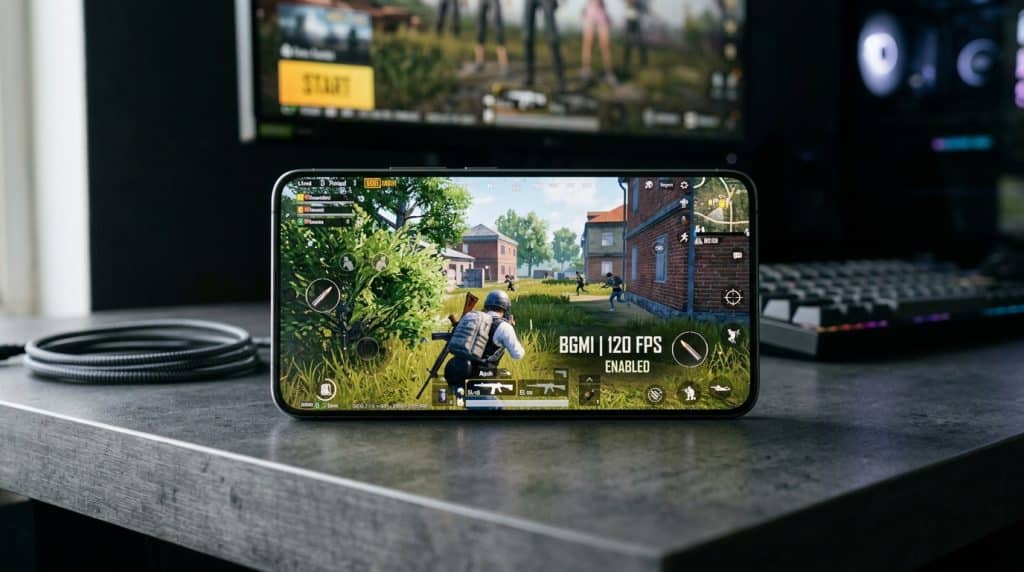
BGMI is an online multiplayer battle royale game that heavily depends on your FPS. If your device supports more Frames Per Second (FPS), your game will run more smoothly. The higher the number, the better it will be. In the 3.2 update, Krafton announced that they are officially adding 120 FPS (Ultra Extreme) to the game, but not every eligible device will support it. They are extending their support to more devices every season. So, if you want to know which phones/Tablets currently support it, below is the complete list of BGMI 120 FPS supported devices as of BGMI version 4.5.
Which devices support 120 FPS in BGMI
| OS | Brand / Manufacturer | Officially Supported 120 FPS Device Models |
| 🍏 iOS | Apple | iPhone: iPhone 13 Pro, iPhone 13 Pro Max, iPhone 14 Pro, iPhone 14 Pro Max, iPhone 15 Pro, iPhone 15 Pro Max, iPhone 16 Pro, iPhone 16 Pro Max, iPhone 17 Pro, iPhone 17 Pro Max iPad: iPad Pro 11-inch & 12.9-inch (2020), iPad Pro M1 (11″ & 12.9″), iPad Pro M2 (11″ & 12.9″), iPad Pro M4 (11″ & 13″) |
| 🤖 Android | Samsung | Galaxy S-Series: Galaxy S23, S23+, S23 Ultra, Galaxy S24, S24+, S24 Ultra, Galaxy S25, S25+, S25 Ultra, Galaxy S26, S26+, S26 Ultra Foldables: Galaxy Z Fold 4, Galaxy Z Fold 5, Galaxy Z Fold 6, Galaxy Z Fold 7 Tablets: Galaxy Tab S8 Series, Galaxy Tab S9 Series, Galaxy Tab S10 Series, |
| 🤖 Android | Nubia / RedMagic | RedMagic: RedMagic 8 Pro, RedMagic 8S Pro, RedMagic 9 Pro, RedMagic 9S Pro, RedMagic 10 Pro, RedMagic 11 Pro Nubia: Nubia Z50, Nubia Z60 Ultra, Nubia Z70 Ultra |
| 🤖 Android | Xiaomi | Xiaomi 13, 13 Pro, 13 Ultra, Xiaomi 14, 14 Pro, 14 Ultra, Xiaomi 15, 15 Pro, 15T, 15T Pro, 15T Ultra, Xiaomi 16, 16 Pro, 16 Ultra, Xiaomi Mix Fold 3, Xiaomi Mix Fold 4 |
| 🤖 Android | POCO | POCO F5 Pro, POCO F6, POCO F6 Pro, POCO X6 Pro, POCO F7 Pro |
| 🤖 Android | Redmi | Redmi K60 Pro, Redmi K60 Ultra, Redmi K70, Redmi K70 Pro, Redmi K70 Ultra, Redmi K80, Redmi K80 Pro, Redmi K80 Ultra |
| 🤖 Android | OnePlus | OnePlus 11, OnePlus 11R, OnePlus 12, OnePlus 12R, OnePlus 13, OnePlus 13R, OnePlus 15, OnePlus 15R, OnePlus Open |
| 🤖 Android | Pixel 8 Pro, Pixel 9 Pro, Pixel 9 Pro XL, Pixel 10 Pro, Pixel 10 Pro XL | |
| 🤖 Android | iQOO | iQOO 11, 11 Pro, iQOO 12, 12 Pro, iQOO 13, 13 Pro, iQOO Neo 8 Pro, iQOO Neo 9, Neo 9 Pro, iQOO 15, iQOO 15R |
| 🤖 Android | ASUS ROG | ASUS ROG Phone 7, ROG Phone 7 Ultimate, ASUS ROG Phone 8, ROG Phone 8 Pro, ASUS ROG Phone 9, ROG Phone 9 Pro, ASUS ROG Phone 10, ROG Phone 10 Pro |
| 🤖 Android | Realme | Realme GT3, Realme GT5, Realme GT5 Pro, Realme GT6, Realme GT 7 Pro |
| 🤖 Android | OPPO | OPPO Find X6 Pro, Find X7, Find X7 Ultra, Find X8, Find X8 Ultra, Find X9, Find X9 Ultra, OPPO Find N3, OPPO Reno11 Pro, Reno12 Pro |
| 🤖 Android | Vivo | Vivo X100, X100 Pro, X100 Pro+, Vivo X200, X200 Pro, X200 Pro+, Vivo X300, X300 Pro, X300 Pro+, Vivo X Fold 2, X Fold 3, X Fold 3 Pro, X Fold 5, iQOO 12, X100 Ultra |
| 🤖 Android | Honor | Honor Magic5 Pro, Honor Magic6 Pro, Honor Magic7 Pro, Honor Magic V2, Honor Magic V3 |
Why did your device not support Ultra Extreme FPS?
Many mobiles use chipsets below the Snapdragon 8, which are officially unsupported after the latest update. Game developers decide to support, and sometimes mobile manufacturers restrict it to ensure better performance. Many players use config files or GFX Tool to gain an advantage, but this can lead to a ban because modifying or bypassing game files violates BGMI rules. So, you should be aware that you should never trust such resellers who promise to give an AntiBan file.
My Google Pixel 7 Pro can handle 90 and 120 FPS, but the game locks it to 60 FPS. After every update, I check whether the device unlocks Extreme+ graphics. It remains restricted, and I never try unofficial configs.
My cousin Saeed once logged in to his PUBG account on BlueStacks, and he was excited to see the Ultra Extreme option. But after a few minutes, his account was banned for 10 minutes for modifying the client files. Actually, he did not do that, but the anti-cheat system detected it because BlueStacks was unofficially unlocking it.
Also Check:
Best 120 FPS Settings
If your device has the Ultra Extreme option, you should go to settings>Graphics & Audio and select Smooth Graphics, then the maximum graphics will unlock, which you can enable by clicking on it.
Caution: Increasing frame rates will result in more battery consumption, and your device will heat up unless you are using a cooling fan.
If you play the game for long hours, I recommend playing at a maximum of 90 FPS so you can avoid overheating, and it will improve your device’s performance. Furthermore, it will help you properly register bullets on enemies and win combat fights.